
Your music is not used to train AI models.
Key Matcher analyzes it and marks every point on the timeline where the harmony moves to a new note. These notes are what we call keys, so you can match them to our Music Tools.
Key Matcher runs chord recognition over your music track and keeps only the note each chord is built on.
It's all you need to enhance any music.
Every key can be changed if the analysis is off.
These four playback modes decide what you hear when you press PLAY.

Reference audio: your mix, the source and each layer as MP3s. Road Map PDF: the pull list, your waveform and the timecode of every key.
If the analysis got a key wrong, or a section is in the wrong place, you can fix it.
Click a key badge to change the key. In the picker, Remove section folds a section into the one before, and Blank takes the key off a passage.
Drag a boundary to move it onto the downbeat. On a touch screen select MOVE KEYS.
Split a section at the playhead with SPLIT or B.
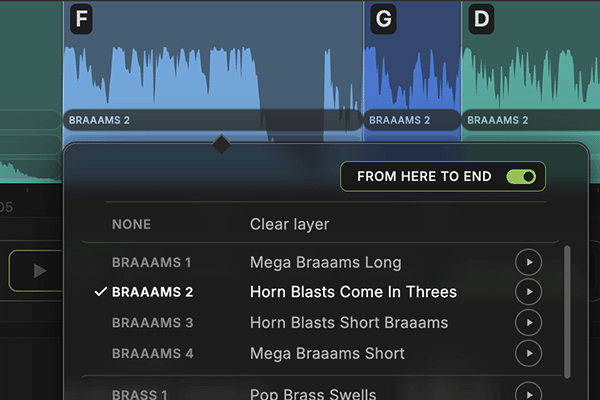
Every key section has three layers. Click a layer to place a Music Tool on it. Click it again to change or clear it.
In the picker, FROM HERE TO END fills that layer from this section to the end of the track.
M and S mute and solo a layer. Switch to + MAPPED LAYERS and hit PLAY to hear the result.
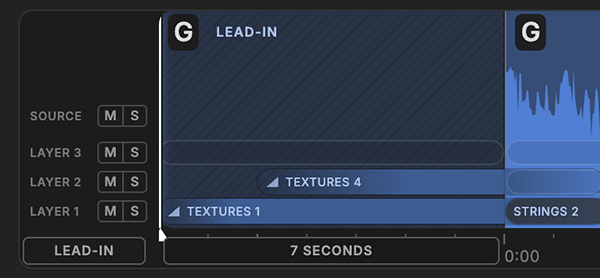
Build a short intro section leading into your music track, with up to three layers of Music Tools.
It comes preloaded with two of them. You can change each texture, where it starts and how it fades in.
You can also set the length of the intro, or remove it with the X.
OptionHold it and the timeline goes quiet while you place the playhead. No hover outlines, no tooltip, no boundary grabber, no key picker.
TToggles tooltips off and back on, and so does the TOOLTIPS switch above the timeline.
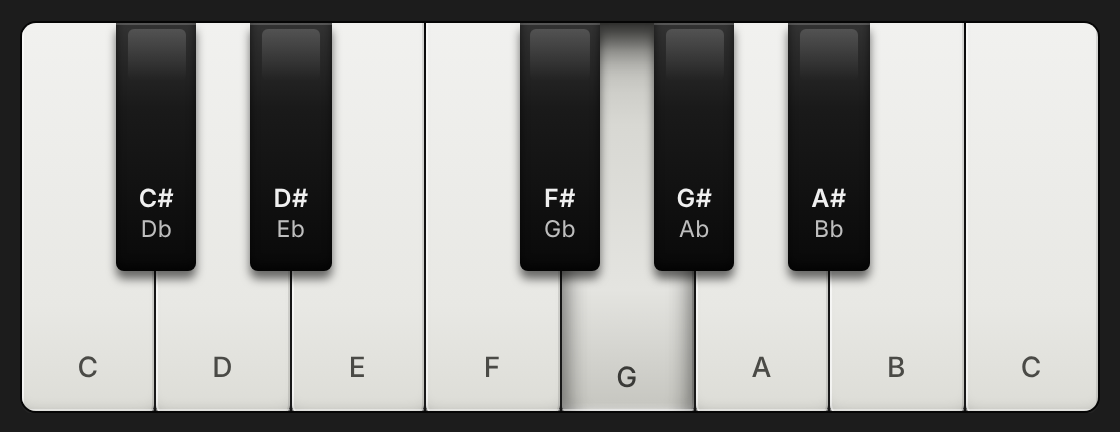
Select + PIANO and press PLAY.A piano note plays on every key over your music track, so you'll hear what sounds off.
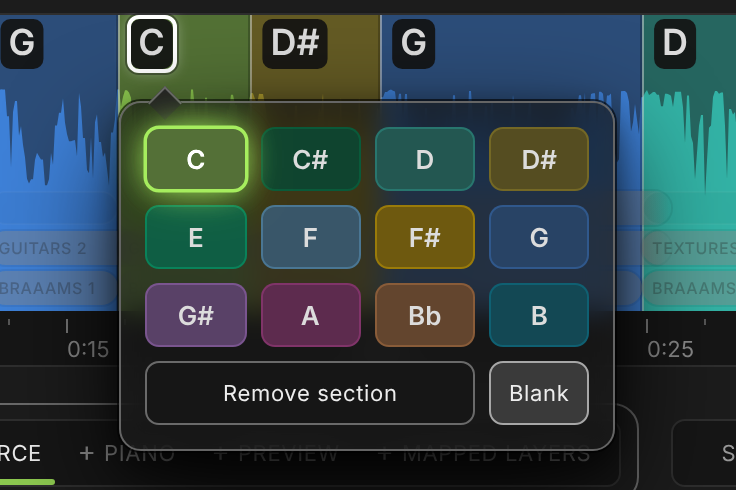
Click a badge to pick another key.If a change comes early or late, drag the boundary, or press SPLIT to add a new one.Tap a badge to pick another key.To move a boundary, tap MOVE KEYS, or tap SPLIT to add a new one.
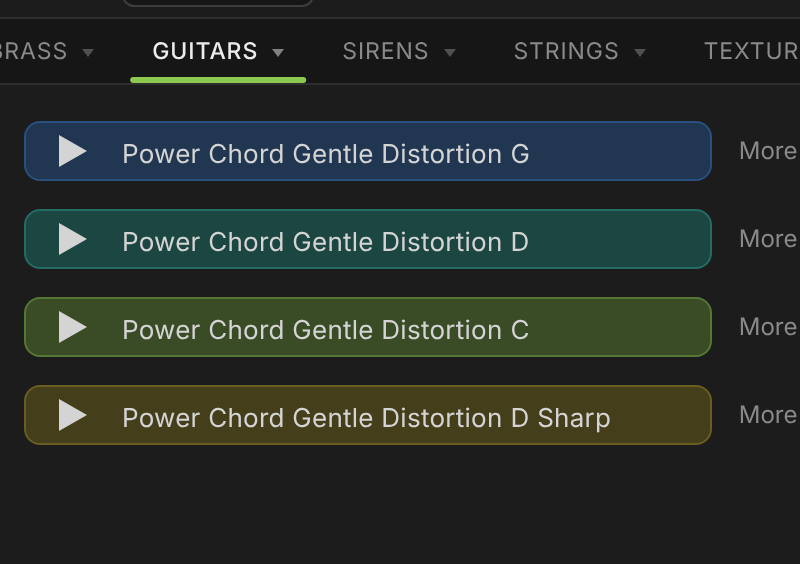
Select + PREVIEW and press PLAY.The sample you select plays at every section change, in the right key.
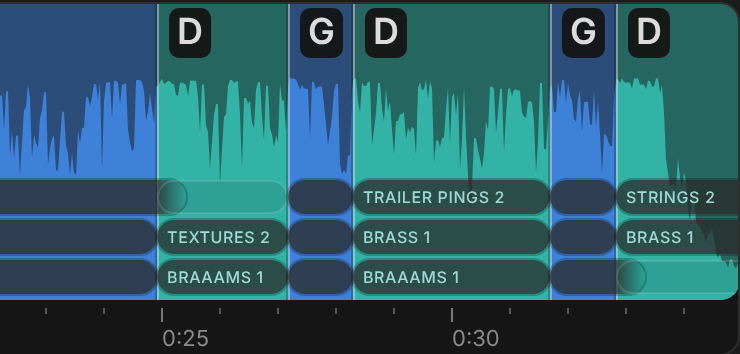
Load layers with Music Tools in the right key.+ MAPPED LAYERS plays them over your music track, up to three per section.
Already have a dreamartmusic.com account?
Enter your name and the email you used to sign up.
No account yet?
Request access